CANVAS DESKTOP WIDGET · FOR STUDENTS
Checking one assignment shouldn't mean opening a browser, signing in and waiting for a code on your phone. Still Today puts your Canvas assignments, due dates, course events and announcements on your Windows or Mac desktop.
Free · Open source · For Windows and Mac
Still Today is a computer app for Windows and Mac. Send the link to your computer, by email or a chat app, and download it there.
Assignments, due dates, course events and announcements sit on your desktop. One glance is enough, with no phone code to wait for.
It syncs with Canvas every 10 minutes. Submitted work ticks itself off, and new grades and announcements arrive as notifications.
It reads Canvas with your own access token. No account, and no server in between.
FEATURES
TASKS
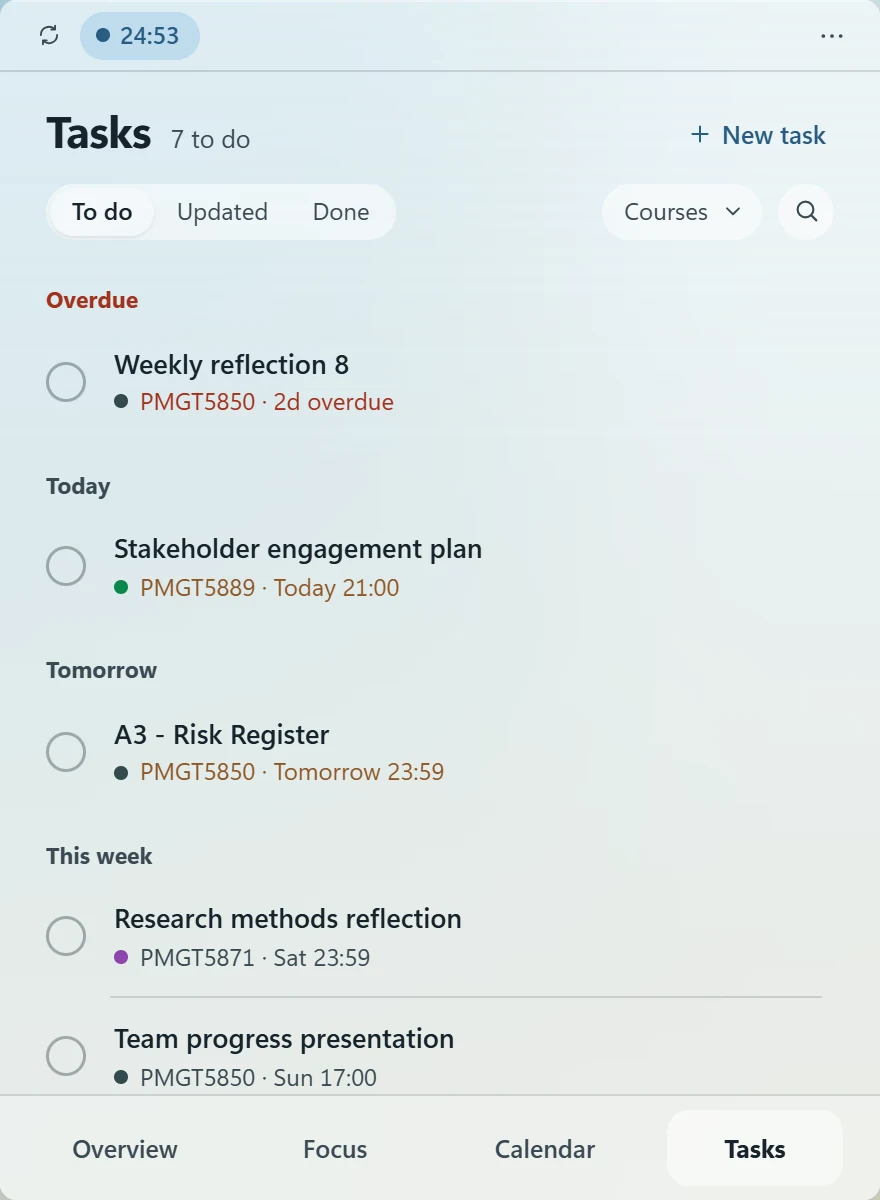
Assignments and quizzes are grouped into overdue, today, tomorrow and this week. Filter by course, search, or add tasks of your own.
Hand something in and the next sync ticks it off. If a due date moves, it moves here too, and grades show up right on the task.
FOCUS
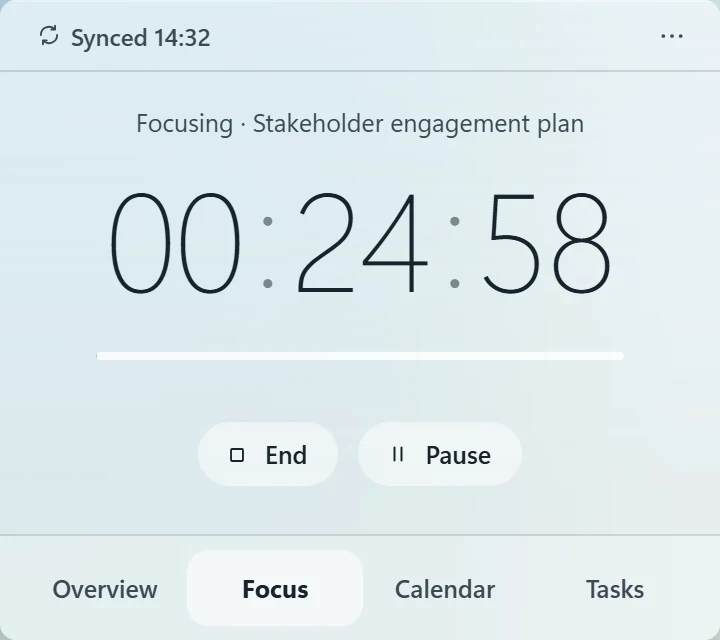
Link the timer to an assignment and your focus time adds up on it. While a session runs, the time left stays in the top bar.
CALENDAR
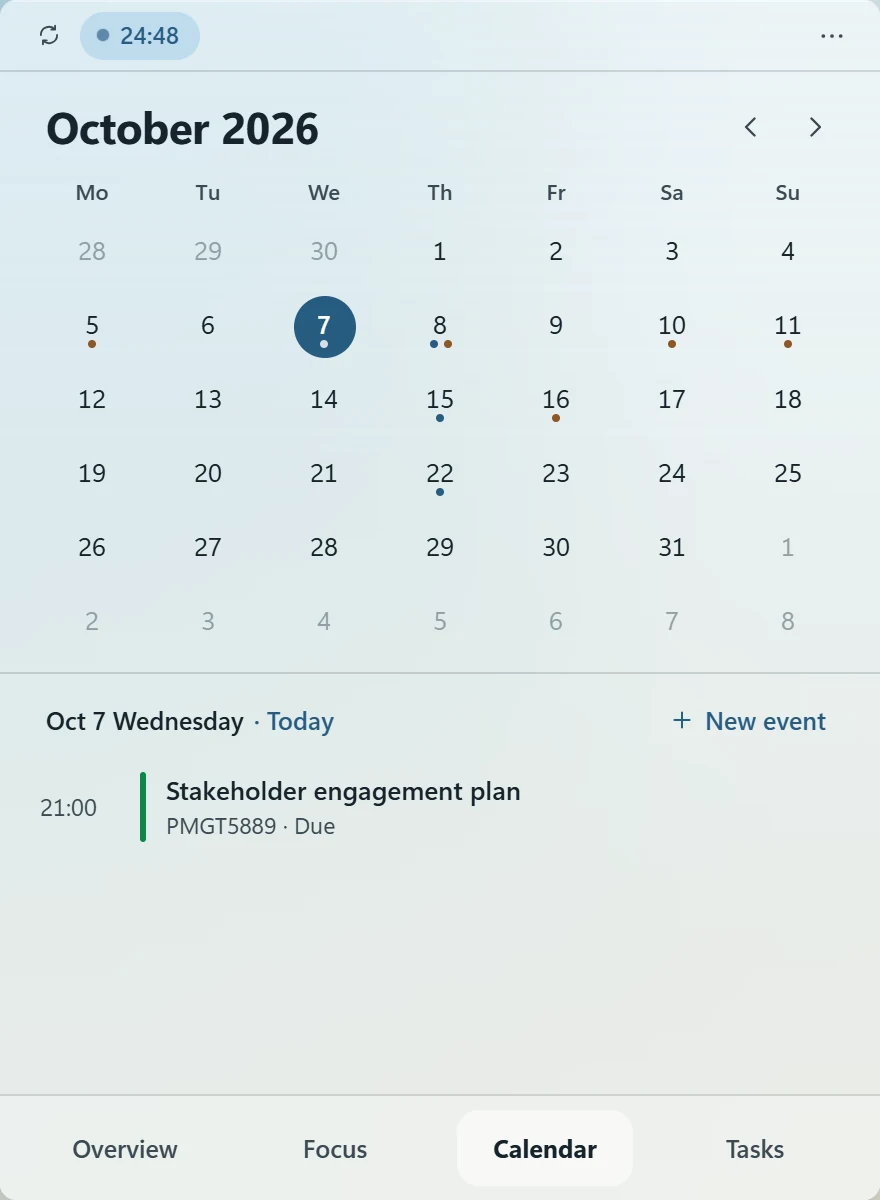
The month view shows assignment due dates and Canvas course events, and you can add events of your own.
You can also subscribe to your timetable, Outlook or Google Calendar. Settings explains where to find each link.
ANNOUNCEMENTS & NOTIFICATIONS
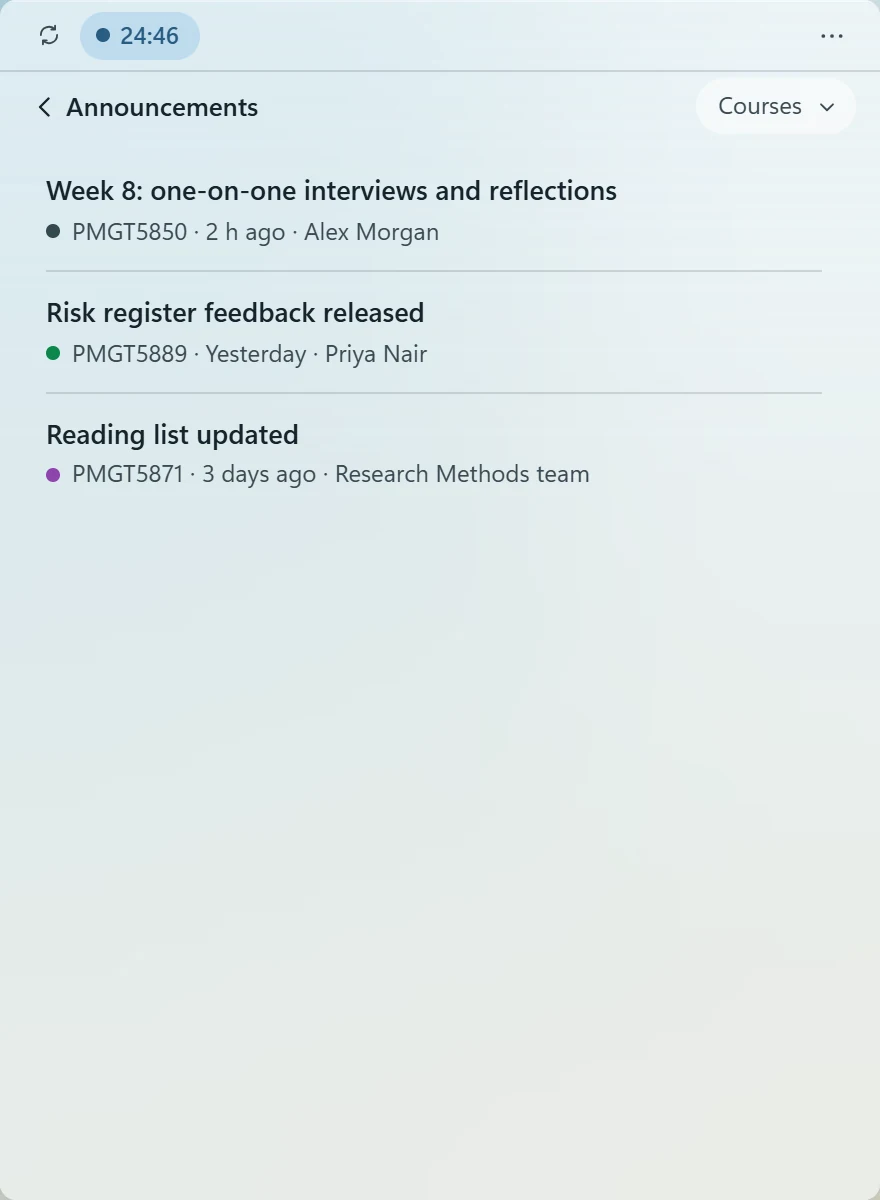
Course announcements get a page of their own, with new ones marked. New grades and announcements each send a notification.
APPEARANCE
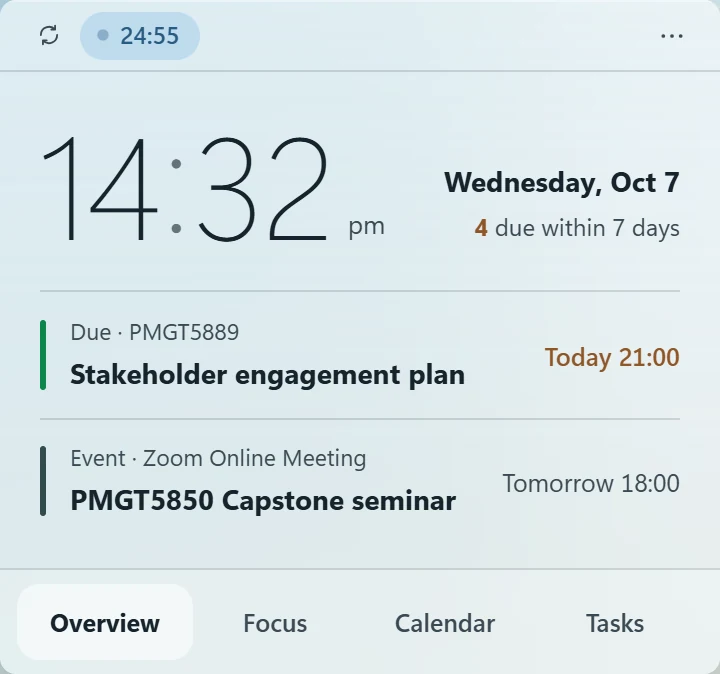
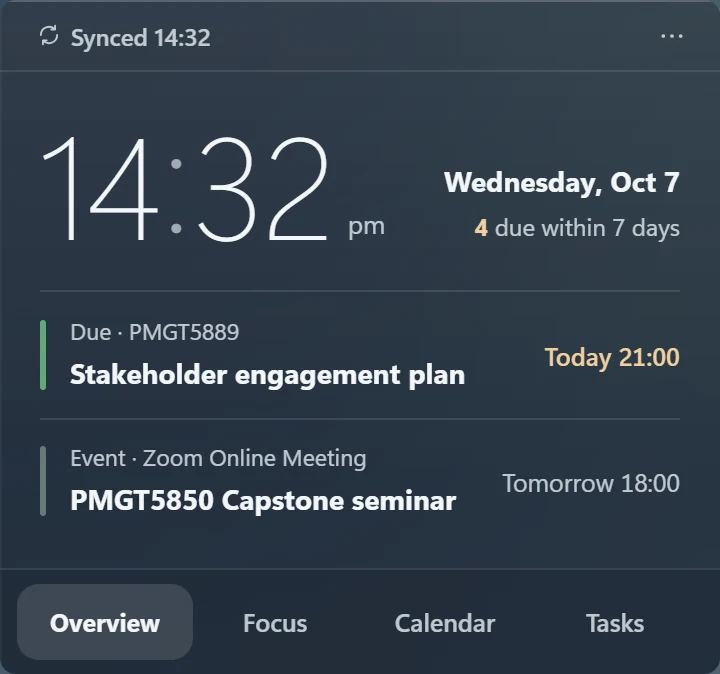
The Aura theme blurs the wallpaper behind the widget and picks dark or light text to match. Light and dark themes are there too.
Moving between Overview, Tasks, Calendar and Focus, the widget smoothly changes shape.
FOR MAC
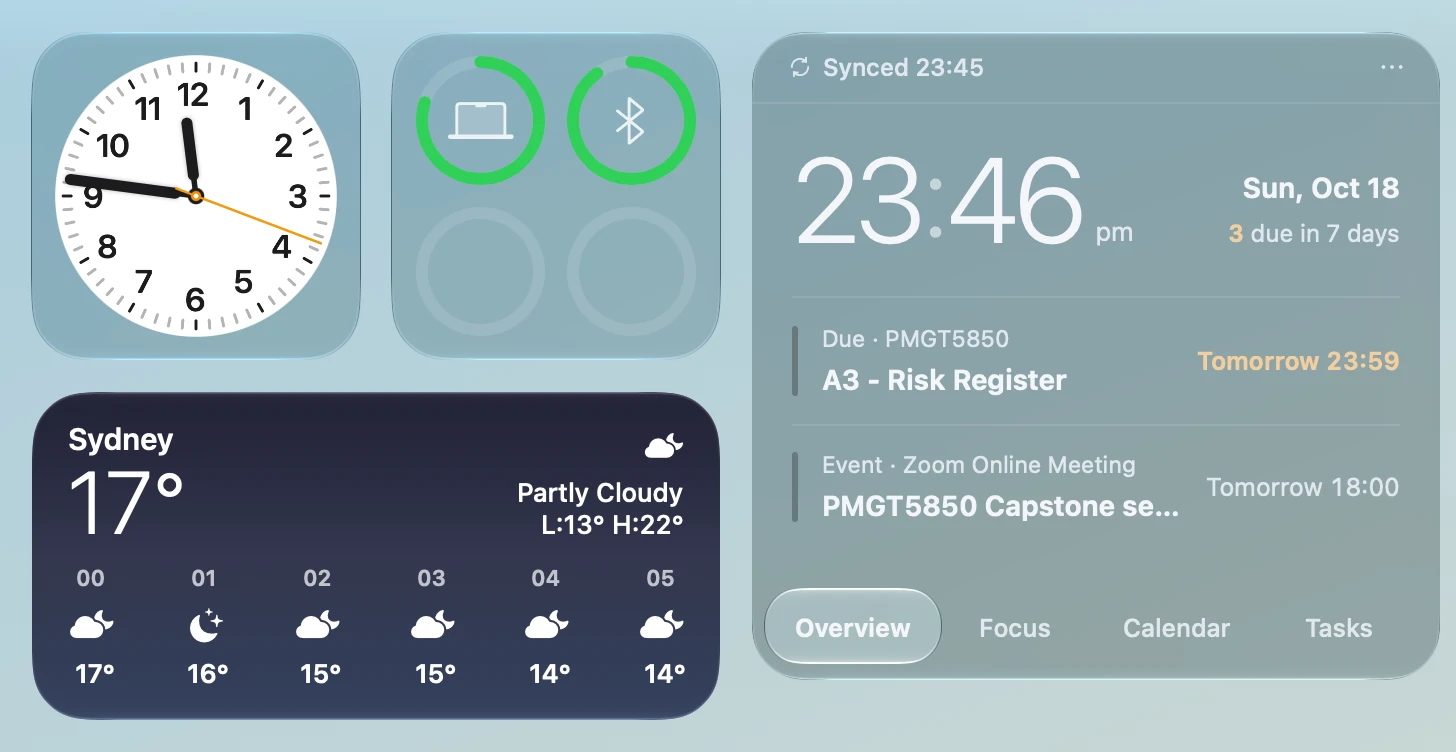
Its glass is tuned against the Mac's own widgets, in two looks, Airy and Mist. It stays on the desktop under your windows, rests wherever you drop it, and keeps clear of the system's widgets.
For Apple silicon and Intel Macs on macOS 13 or later. It lives in the menu bar, not the Dock.
INSTALL
Windows: run the installer. It installs for your Windows account only, with no admin rights needed. If your browser says the file isn't commonly downloaded, choose Keep. Works on Windows 10 (1903 or later) and Windows 11.
Mac: open the .dmg and drag Still Today into Applications. Needs macOS 13 or later.
Windows: when you see “Windows protected your PC”, click More info, then Run anyway.
Mac: if it's blocked the first time, go to System Settings → Privacy & Security, scroll down and click Open Anyway.
The app isn't code-signed or notarized yet. You only do this once.
Follow the four steps below, just once. After that it syncs every 10 minutes.
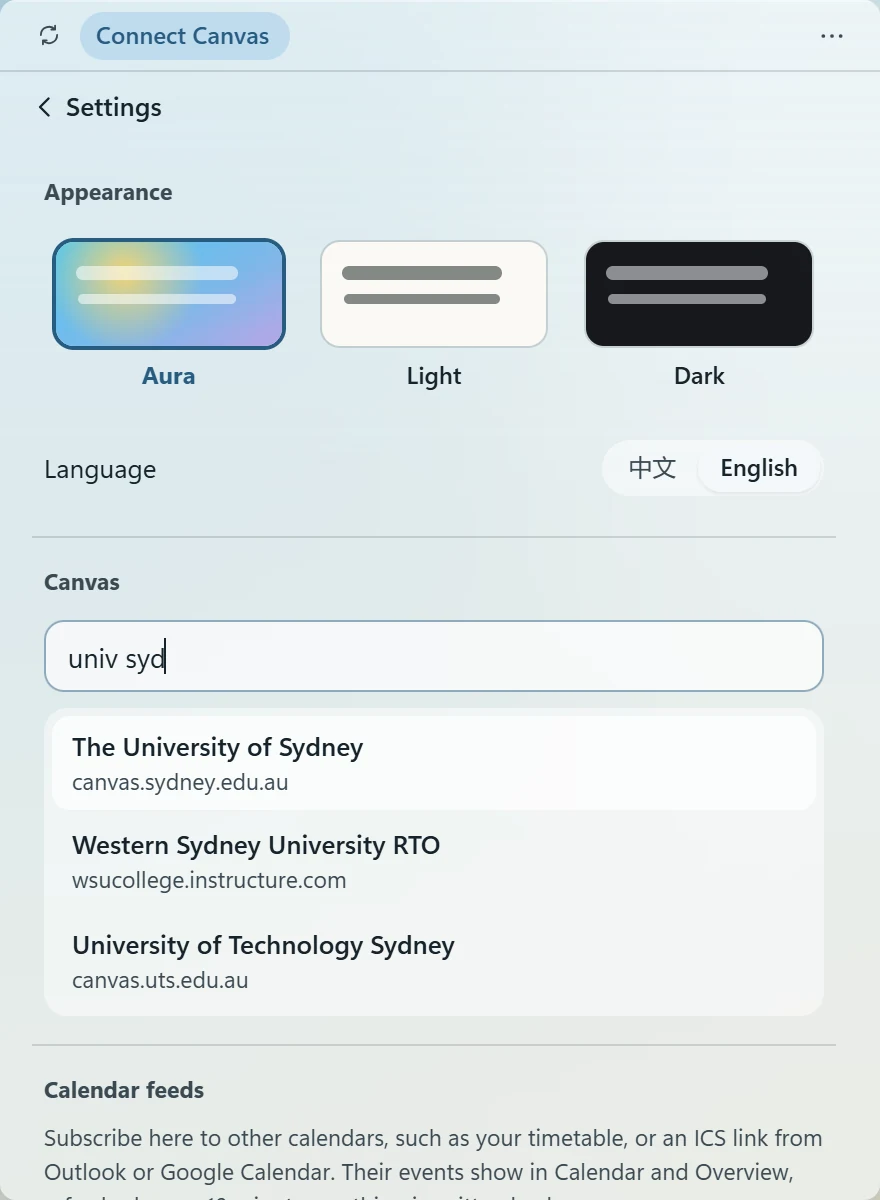
Click ··· at the top right → Settings, then type your school's name, such as univ syd.
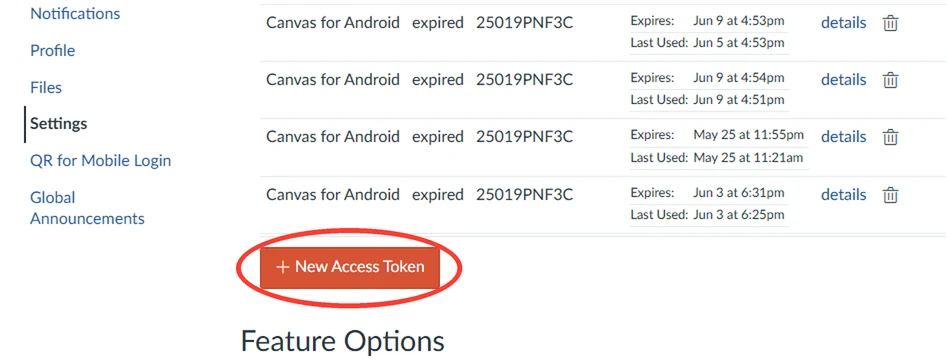
Click Open Canvas settings, scroll down and click + New Access Token.
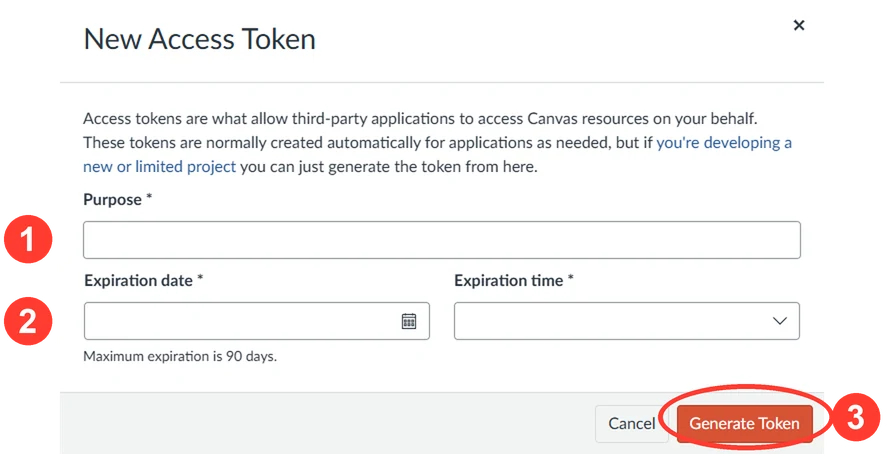
The purpose can be anything. Set the expiry to the latest date allowed, click Generate Token and copy it straight away.
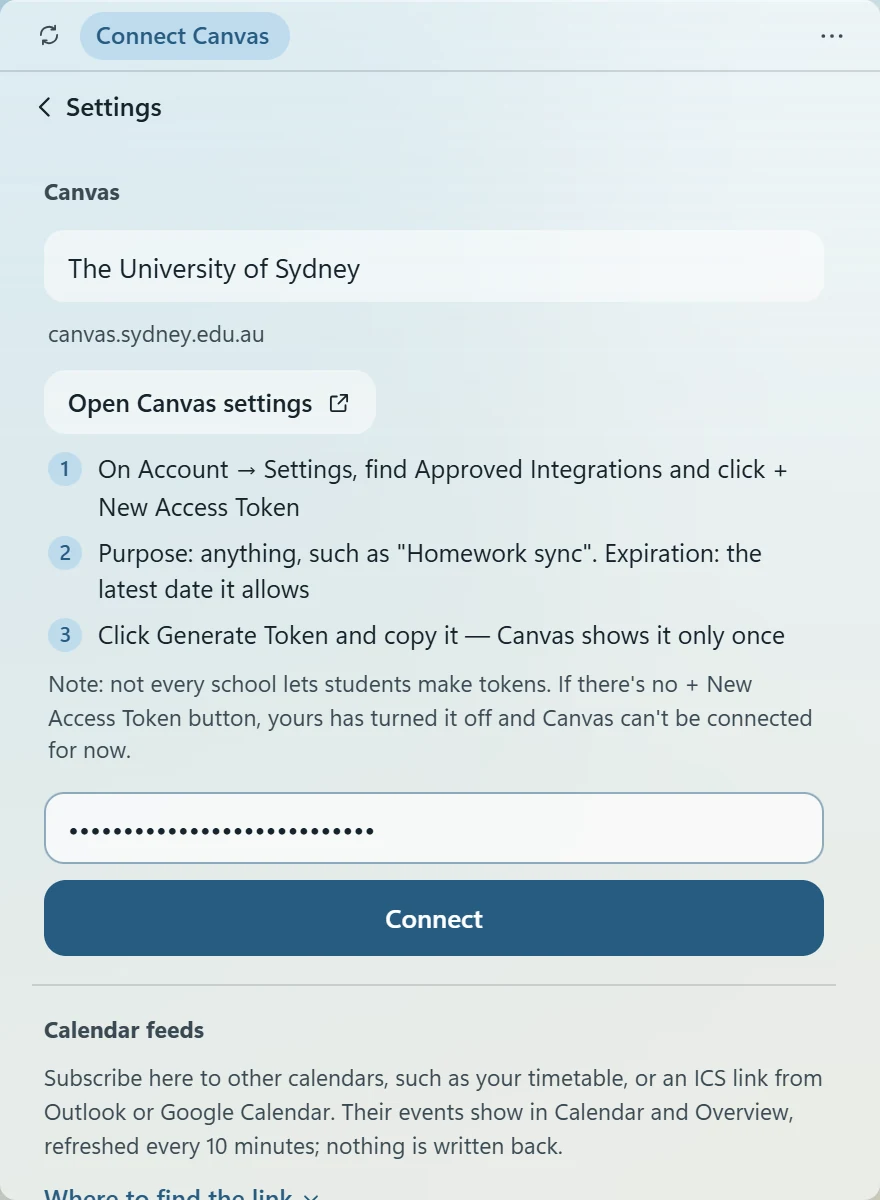
Back in the widget, paste the token and click Connect. You'll be reminded before the token expires.
If your Canvas settings have no + New Access Token, your school doesn't let students create tokens, and Canvas can't be connected for now.
FAQ
Completely. The code is open source on GitHub under the MIT licence.
The token is kept in Windows Credential Manager or the Mac Keychain, never in a file, and is sent only to your school's Canvas. Still Today has no accounts and no server in between. If you stop using it, delete the token in your Canvas settings and it stops working at once.
The installer isn't code-signed yet, so Windows SmartScreen doesn't recognise it. Click “More info”, then “Run anyway”. All the code is public on GitHub.
The Mac version isn't notarized by Apple yet. Go to System Settings → Privacy & Security, scroll down and click “Open Anyway” (on macOS 13/14 you can also right-click the app → Open). You only do this once. After an update, the Keychain may ask whether Still Today can read your Canvas token: choose “Always Allow”.
In Canvas, click your profile picture on the left → Settings, and scroll down to Approved Integrations. If it still isn't there, your school doesn't let students create tokens, and Canvas can't be connected for now.
Yes. It runs on Apple silicon and Intel Macs with macOS 13 or later. Use “Download for Mac” above, or get it from the releases page on GitHub.
Only Canvas for now. If your school's system can export a calendar link (iCal / ICS), add it under Calendar feeds in Settings and the due dates will show on the calendar.
Tasks, focus history and settings stay on your own computer: in %LOCALAPPDATA%\StillToday on Windows, and ~/Library/Application Support/app.stilltoday.widget on a Mac. Uninstalling doesn't delete them; reinstall and everything is as you left it.
Still Today is a computer app for Windows and Mac. Download and install it on your computer.
 Still Today